


DTF Gang Sheet Builder
Add a DTF Sample Pack to Cart - $0.01 - Add to Cart
A DTF gang sheet builder lets you upload your artwork, arrange multiple designs on one 22-inch-wide sheet, and pay one price for the whole sheet. Choose 2, 5, 10 or 20 feet ($19.99 to $129.99), press at 300-320°F, peel hot or cold, and get prints that last 100+ washes.
How the DTF Gang Sheet Builder works
- Pick a sheet length. All sheets are 22" wide; choose 2, 5, 10 or 20 feet.
- Upload your designs. Add PNG files with transparent backgrounds. Upload a design once and set how many copies you need.
- Size and arrange. Set each design to its print size and drag it into place, or let the builder arrange the sheet for you. Leave at least 0.25" between designs for clean cutting.
- Review and order. Check the layout, add the sheet to your cart and check out. Standard orders ship in 24-36 hours.
- Cut and press. When the sheet arrives, cut the designs apart and press each one onto your garments.
Gang sheet sizes and prices
| Sheet size | Price | Good for |
|---|---|---|
| 22" x 2 ft | $19.99 | Small runs, testing a new design, a batch of left-chest logos |
| 22" x 5 ft | $49.99 | Mixed orders of full-front, back and sleeve prints |
| 22" x 10 ft | $89.99 | Team, event and shop production runs |
| 22" x 20 ft | $129.99 | Bulk production with the lowest cost per design |
Need a single design at a fixed size instead? Order DTF Transfers by Size. Already have a print-ready layout? Upload it to DTF Gang Sheets.
File specs for a sharp print
- Format: PNG with a transparent background. Avoid JPEG, which adds a solid box behind the art.
- Resolution: 300 DPI at the actual print size.
- Color mode: RGB, not CMYK.
- Spacing: at least 0.25" between designs (0.5" is safer for easy cutting).
For a full checklist, see our DTF artwork and file prep guide and the DTF gang sheet guide, which covers packing a sheet efficiently.
How to press your gang sheet transfers
Heat press settings
- Temperature: 300-320°F
- Time: 12-15 seconds
- Pressure: medium-high
- Peel: hot or cold
Step by step
- Pre-press the garment for a few seconds to remove moisture and wrinkles.
- Place the transfer ink-side down and press at 300-320°F for 12-15 seconds.
- Peel the film hot or cold with a slow, low-angle pull.
- Cover the print with parchment paper and press again for 5-10 seconds to seal it.
Fabric-specific tips are in our how to press DTF transfers guide and the DTF pressing guide by fabric.
Turnaround and durability
Standard gang sheet orders ship in 24-36 hours, and rush upgrades are available at checkout. Pressed correctly, DTF transfers last 100+ washes and work on cotton, polyester and blends in any garment color. See the DTF durability guide for care tips.
DTF gang sheet FAQs
What size is a DTF gang sheet?
Every sheet in our builder is 22 inches wide. You choose the length: 2 feet ($19.99), 5 feet ($49.99), 10 feet ($89.99) or 20 feet ($129.99). You pay for the sheet, not the number of designs, so fill it with as many logos, chest prints and sleeve prints as will fit.
What file type should I upload?
Upload PNG files with a transparent background at 300 DPI at the size you want them printed, in RGB color mode. Avoid JPEGs, since they can't hold transparency and leave a box around the art. Low-resolution images enlarged in the builder will print blurry.
How long does a gang sheet take to ship?
Standard gang sheet orders are produced and shipped in 24-36 hours. Rush upgrades are available at checkout if you need it faster. Standard shipping on transfers and gang sheets is a flat $8.99, and orders over $75 ship free.
What temperature do I press a gang sheet transfer at?
Press at 300-320°F with medium-high pressure for 12-15 seconds, after a quick pre-press to remove moisture. Peel the film hot or cold, then cover the print with parchment and press again for 5-10 seconds to lock it in.
How many washes do DTF gang sheet transfers last?
A properly pressed DTF transfer lasts 100+ washes without cracking or fading. Wash inside out in cold water, skip bleach and fabric softener, and hang dry or tumble dry low to keep prints looking their best.
Is there a minimum order?
No. There are no minimums and no setup fees, so a single 2-foot sheet is a normal order. Gang sheets are the most economical way to order once you have several designs or repeats, because every design on the sheet shares one price.
Complete your order with Blanks
- No Minimums
- Earliest Delivery: Tomorrow


Product Details
Features
Auto Build: Upload your artwork, pick sizes and quantities, and hit Apply — the builder lays everything out for you, tells you if you need another sheet, and checks that every file is placed correctly and print-ready before checkout.
Faster workflow: Design, arrange, and optimize a full sheet in one place instead of juggling files — less prep time, more printing.
Multiple sheet lengths: Build layouts that squeeze the most out of every inch across the full range of sheet sizes.
Mix and match freely: Combine as many designs as you like on one sheet without giving up print quality.
Print with confidence: Sharp detail and vivid color, sheet after sheet — what you build is what you get.
- Auto Build: Build your gang sheet in seconds with our Auto Build feature. Simply upload your images, choose the quantity and size, and hit 'Apply.' The builder will automatically arrange your images, notify you if more sheets are needed, and confirm everything is correctly placed and high resolution before checkout.
- Streamlined Workflow: Simplify your printing workflow with our DTF Gang Sheet Builder. Design, arrange, and optimize your gang sheets effortlessly for a smoother production experience.
- Multiple Sizes: Build custom layouts that optimize space and streamline your printing process across five different sizes.
- Design Flexibility: Experiment with various design combinations on a single sheet. Our Gang Sheet Builder empowers you to explore creativity while maintaining precise print quality.
- Print with Confidence: Ensure consistent and vibrant results with your customized gang sheets. From intricate details to vivid colors, your prints will captivate every time.
Satisfaction Guarantee
Every sticker and transfer we print is backed by our guarantee. If something isn't right, we'll reprint your order with a new or corrected file at no charge.
We stand behind the quality of every transfer and sticker we print. If you’re not completely satisfied, we’ll reprint your order with a new or revised file at no cost to you.
Pressing Instructions
Four quick steps to a clean press every time:
1. No pre-press needed. You don't have to pre-iron or dry the garment first — only pre-press if you prefer it. Tip: pressing a fabric you haven't worked with before? Run one small test press to dial in your settings.
2. Position your design. Lay the transfer flat exactly where you want it. Pressing across seams (hat panels, side seams) works fine; heat-resistant tape helps hold placement on hats or when using a household iron.
3. Press & peel. Press at 310°F / 155°C with medium-to-high pressure for about 12 seconds — test one piece first. Use parchment paper or a silicone platen cover so the platen never touches the garment directly. Wait a few seconds, then peel. If part of the design hasn't released, lay the film back down and press again briefly.
4. Lock it in. Cover the pressed design and give it a short second press (5–10 seconds) to seal the finish and maximize wash durability.
If you're ordering any specialty transfers, click here to find the appropriate pressing instructions videos.
Click here to watch our DTF Transfer Pressing Instructions Tutorial Video.
To ensure your DTF transfer looks professionally pressed every time, follow these four simple steps.
1 - No Need To Pre-Press or Pre-Iron
Removing moisture and wrinkles from the product is unnecessary with our DTF transfers. Only do a prepress if you prefer.
Pro Tip: If you’re pressing onto a garment or surface you haven’t worked with before, we recommend doing a small test press first to confirm the settings and ensure the best results.
2 - Position Your Design
Position your transfer in the desired location and make sure it is flat before pressing. You can press across seams, for example on 6-panel hats and side seams of t-shirts. Heat-resistant tape is recommended when pressing on hats or when using a household iron to prevent the transfer from moving. You'll learn when it's needed with experience.
3 - Press & Peel after a few seconds
Press the transfer at 310°F / 155°C with medium to high pressure for ~12 seconds. It is recommended to test one piece first. Use parchment paper or order a silicone upper platen cover (avoids scorching and replaces parchment paper) to protect your garment from touching the iron directly.
Wait a few seconds and peel! If parts of the design are not sticking, lay it back down and press again with added pressure and heat (+15°F). If unsuccessful, increase heat by 15°F increments until it transfers correctly. Remember, the great thing with our transfers is that repeated pressing won't damage the transfer.
If your settings are scorching the garment, the first step would be to reduce pressure. If that doesn’t work, retain the reduced pressure and reduce the heat by 10-15°F. With a little practice, you’ll find the right settings for each garment and material.
4 - Final Press & Wash Instructions
Important: While the majority of other DTF companies advise you to press it just once, this is improper. After hundreds of wash tests, we have found that a final press is imperative to create a superior product. After the design is transferred onto the garment, with the film peeled off, cover the design with provided parchment paper and press for 15 seconds. Doing so enhances the value of your product by greatly improving the durability and softness as well as reducing the shine.
For step-by-step pressing instructions for household irons or a Cricut EasyPress, click here.
Shipping & Returns
Transfer and supply orders over $75 ship free automatically, and express options as fast as 1 business day are available at checkout. Canadian orders qualify for free shipping at $99+.
See our Shipping Policy for full details.
Refunds & Reprints
Contact us within 45 days of delivery to request a reprint or refund. Print quality and adhesion problems always qualify for a free reprint; issues caused by a low-resolution upload don't. Refunds or reprints for any other reason need management approval first.
Orders over $75 of transfers and supplies will automatically qualify for Free Shipping. Express shipping options as fast as 1 Business Day available at checkout. For Canadian customers, orders of $99+ will qualify for Free Shipping.
Read our Shipping Policy for more information.
Refunds & Reprints
Contact us within 45 days of receiving your order to submit a request for a refund or reprint. We will reprint any order where there is a print quality or adherence issue. However, we will not issue a reprint if the uploaded file is low quality. If you'd like a refund or reprint for another reason, it must be approved by management first.
Art Upload Recommendations
All file types are accepted. Vector files are recommended for the best results, and raster artwork should be at least 300 DPI. For optimal color accuracy and vibrancy, we recommend designing in the Adobe RGB (1998) color profile.
Minimum Size: While DTF handles fine details well, elements smaller than 0.02 inches (0.5mm) may not transfer properly.
Tip: If you're using Canva or Procreate, exporting your document as a PDF is recommended.
Why our transfers print brighter
DTF Transfers
The industry's most versatile decoration method available.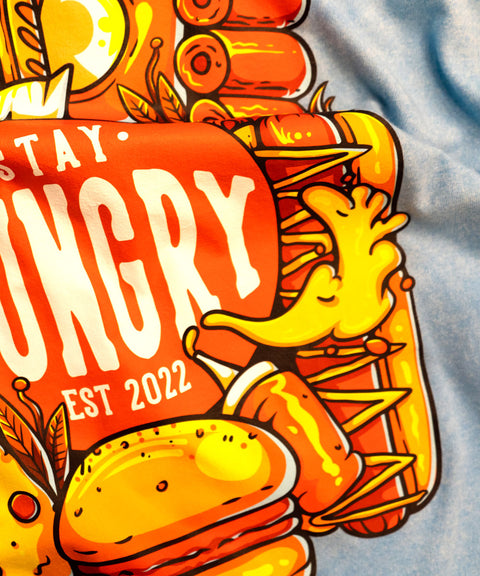
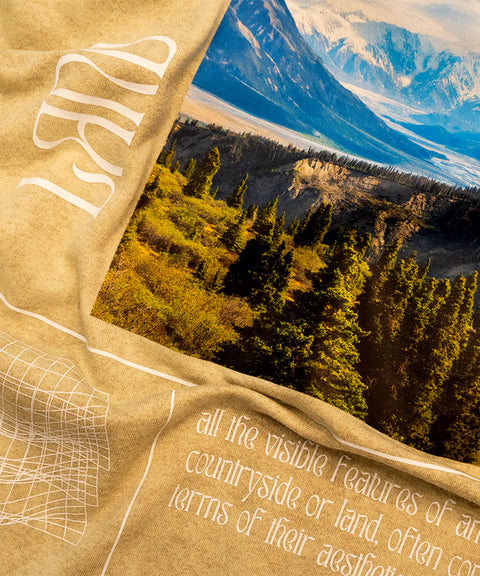
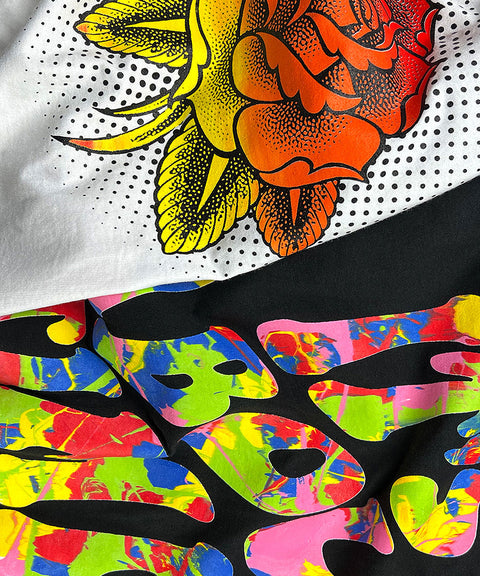
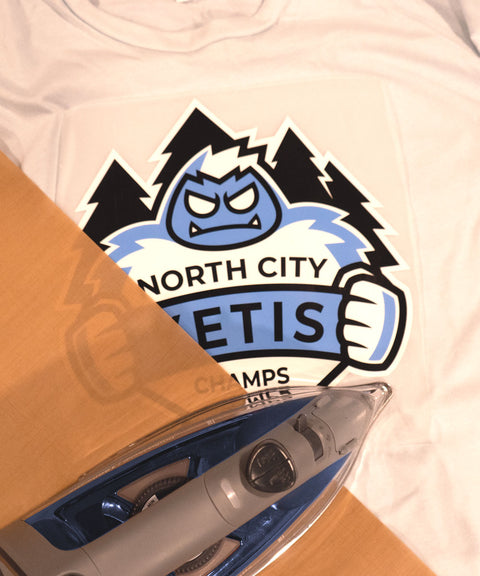

Unrivaled DTF Printing Facility
With our in-house fleet of 75+ DTF (Direct-to-Film) Printers, we deliver high-quality, full-color prints on a range of materials efficiently and reliably. Get professional-grade results for all your DTF printing needs - order now!

The production floor behind your DTF business
Printers running now
