EQUIPMENT GUIDE
What Kind of DTF Transfer Printer Do You Actually Need?
If you're researching DTF transfers and wondering whether you need a special printer to get started, the short answer is: it depends entirely on what you're trying to do. If you want to print DTF transfers in-house, yes — you need a specialized DTF printer, and it's a significant investment. If you want to apply DTF transfers to garments, you need a heat press, not a printer at all.
Most people asking this question are actually trying to figure out how to get into the custom apparel business — not whether to invest $5,000–$8,000+ in production equipment. If that's you, our guide to starting a DTF business covers the full picture. This guide covers both paths honestly so you can make a decision that actually makes sense for your situation.
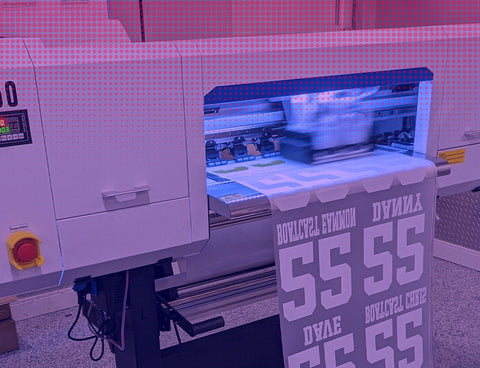
A purpose-built DTF printer — a specialized machine designed around white ink, film handling, and production output. Not a desktop inkjet.
For a complete overview of DTF transfers, see our Complete Guide to DTF Transfers.
THE FIRST QUESTION
Do You Actually Need a DTF Printer?
This distinction gets lost in most articles on this topic, so let's be direct about it: there are two completely different activities that people lump together under "DTF."
■ Printing DTF transfers — requires a DTF printer
This is the production side: printing CMYK (Cyan, Magenta, Yellow, Black) + white ink onto PET film (a clear polyester sheet), applying TPU (thermoplastic polyurethane) hot-melt adhesive powder — the glue layer that bonds the ink to fabric when heated — and curing it. This requires a specialized DTF printer, the correct ink set, adhesive powder, a curing oven or heat gun, and RIP software to manage the print process. Entry-level setups start around $3,500–$5,000 for the printer alone; a complete production setup runs $5,000–$8,000 or more.
■ Applying DTF transfers to garments — requires a heat press
This is what most custom apparel businesses actually do. You order ready-to-press transfers from a DTF supplier, then apply them to garments using a heat press (a hinged machine that applies calibrated heat and pressure — think commercial iron) at 310–320°F for 12–15 seconds, then peel the film. A quality 15"x15" heat press runs $200–$300. No printer required. No ink. No film. No powder. No RIP software. For a full breakdown of what everything costs, see our DTF equipment cost guide.
Applying a ready-to-press DTF transfer with a heat press — the path most custom apparel businesses actually take. No printer required.
The key question to ask yourself:
Are you trying to produce DTF transfers for other businesses, or are you trying to apply DTF transfers to garments you're selling? The vast majority of custom apparel businesses — from Etsy shops to screen printing operations adding DTF capability — do the latter. They order transfers from suppliers and press them in-house. They never touch a DTF printer.
If you're running a small apparel brand, a side hustle, or even a moderate-volume custom shirt business, the case for owning a DTF printer is weak unless you're printing 50 or more unique designs per month at significant volume. Below that threshold, the math on in-house printing almost never works in your favor. We'll get into the specifics in the cost section.
With that framing in place, the rest of this guide explains what DTF-compatible printers actually are, how much they cost, what ongoing maintenance looks like, and a framework for deciding whether in-house printing ever makes sense for your operation. If you're leaning toward in-house production, our guide to making DTF transfers covers the full process from design file to finished transfer.
TECHNICAL REQUIREMENTS
What Makes a Printer DTF-Compatible?
A DTF printer is not a standard inkjet printer — not even close. Several specific technical requirements separate a DTF-capable machine from a regular desktop or photo printer, and the most critical one is white ink.
Freshly printed DTF film: CMYK colors over a white ink underbase on PET film, before powder application and curing.
■ White ink channels — non-negotiable
This is the defining requirement. DTF transfers use a white ink layer as an opaque base beneath the CMYK colors — without it, any design printed on a dark garment would be invisible. Standard inkjet printers only use CMYK (and sometimes light cyan and light magenta for photo printers). They have no mechanism for white ink. A DTF printer must have dedicated white ink channels, separate from the CMYK channels, with the ability to print white ink as a first or last pass. This is not an aftermarket modification you can make to a regular printer; it requires a machine purpose-built or professionally modified to handle white ink.
■ Film handling capability
DTF printing happens on PET film — a clear polyester sheet — not paper. The printer needs a flat-bed or roll-fed media system that can handle film media without jamming, warping, or shifting. Most DTF printers are designed around either a roll-feed system (for continuous production) or a flat-sheet feed (for smaller operations). Consumer inkjet printers cannot reliably handle DTF film media.
■ DTF-formulated inks
DTF requires specialized ink formulations that bond correctly with the adhesive powder and cure at the right temperature. Standard dye-based or pigment inks used in desktop printers are not compatible. Using the wrong ink will produce transfers that don't adhere to fabric, crack on application, or wash out within a few cycles. DTF ink sets include CMYK colors plus white (W), and the white ink in particular has specific viscosity requirements to prevent clogging in the print heads.
■ Compatible with RIP software
RIP (Raster Image Processor) software is required for production DTF printing. RIP software — Wasatch, Ergosoft, and Maintop are the most common in the DTF space — converts your design files into the precise print instructions the printer needs. It controls white ink density, ink layering order (white first vs. white last), color profiles, print resolution, and film media handling. Without RIP software, you cannot produce consistent, production-quality DTF output. This software adds $500–$1,500 to your setup cost.
■ Powder shaker and curing oven (or manual alternative)
After printing, hot-melt adhesive powder must be applied evenly across the wet ink and then cured with heat. Some entry-level setups do this manually — sifting powder by hand and using a heat gun or conveyor dryer. Production setups use an automatic powder shaker and shake-off unit integrated with a curing oven. Automated powder/cure systems add $800–$2,000+ to your setup cost, but are necessary for any serious volume.
The bottom line on compatibility: No regular inkjet printer — regardless of brand or price — is DTF-compatible out of the box. A standard Epson, Canon, or HP desktop printer will not print DTF transfers. You need a machine specifically designed or professionally converted for DTF use, with the correct ink system, white ink channels, film handling capability, and RIP software support. "Converting" a standard printer is possible but carries warranty-voiding risks and requires technical expertise that most small operators don't have.
PRINTER CATEGORIES
Types of DTF Printers: Entry-Level to Industrial
DTF printers break into three broad tiers, primarily distinguished by print width, speed, build quality, and price. When evaluating a DTF transfer printer, the category matters more than the brand. Here's what each tier looks like in practice:
ENTRY-LEVEL
Converted Desktop Printers
Modified Epson EcoTank or WorkForce models (L1800, L800, etc.) with third-party white ink modifications. These run $1,500–$3,000 for the printer, but require additional modification kits and carry reliability trade-offs.
Print width: 8–13"
Speed: Very slow
Best for: Hobbyists only
MID-RANGE
Purpose-Built DTF (A3/A2)
Dedicated DTF machines from brands like Prestige, Procolored, or OmniPrint — designed specifically for DTF from the ground up. A3 format (13" wide) models run $3,500–$5,000 printer-only; A2 models (17–24") run $5,000–$9,000.
Print width: 13–24"
Speed: 4–12 sq ft/hr
Best for: Small-scale production
INDUSTRIAL
Wide-Format Production
Industrial roll-to-roll or flatbed DTF printers from Mimaki, Roland, or Epson SureColor lines, or dedicated high-volume DTF brands. These are production workhorses — $15,000–$30,000+ with industrial-grade components and significantly higher print throughput.
Print width: 24"–64"
Speed: 100+ sq ft/hr
Best for: DTF print shops
Entry-Level: Converted Desktop Printers
The Epson L1800 and similar EcoTank models have become a popular starting point for DIY DTF setups because they use a continuous ink supply system that can technically be modified to include a white ink channel. Third-party modification kits add white ink printhead modifications, white ink cartridges, and updated ink profiles.
The appeal is price: these printer bodies cost $400–$600 new, and modification kits add another $600–$1,200 or more, bringing total entry cost to $1,500–$3,000 for the printer alone. But the compromises are real. Print speeds are slow, print width tops out around 13", white ink clogging is a persistent problem, and build quality isn't designed for the demands of production printing. Most operators who start here end up upgrading within 12–18 months.
Honest assessment: modified desktop printers are an option for hobby-level use — testing, occasional small runs, experimenting with DTF before committing to a larger investment. They're not a viable production platform for anyone trying to run a business.
Mid-Range: Purpose-Built DTF Printers (A3/A2)
This is where serious small-scale DTF production starts. Purpose-built DTF printers are designed from the ground up for DTF printing — they have white ink systems that are better integrated, more reliable film handling, better ink circulation to prevent white ink settling, and compatibility with production RIP software.
A3 format machines (13" print width) are the entry point in this category, running $3,500–$5,000 for the printer alone. A2 format machines (17–24") step up to $5,000–$9,000. These are the machines most commonly found in small DTF print shops producing 50–200 transfers per day. Paired with a powder shaker/curing unit ($800–$2,000) and RIP software ($500–$1,500), a complete mid-range production setup runs $5,000–$12,500 depending on configuration.
Common brands in this tier include Prestige Printer (R2 model), Procolored, and various Chinese-manufactured DTF-specific machines. Print quality is production-grade; speeds are in the 4–12 square feet per hour range depending on print mode.
Industrial: Wide-Format Production Systems
Industrial DTF printers are production workhorses — 24" to 64" print widths, roll-to-roll film handling, dual or quad printhead configurations, and integrated powder/cure systems. Brands like Mimaki, Roland, and Epson SureColor have DTF-capable wide-format systems in the $15,000–$30,000+ range. Dedicated high-volume DTF brands offer similar throughput at varying price points.
These machines are appropriate for DTF print shops — businesses whose core product is DTF transfers sold to other businesses. If you're thinking about whether to buy a DTF printer to support your apparel brand, you are not the target customer for industrial systems.
HONEST COST BREAKDOWN
The Real Total Cost of Owning a DTF Printer
Most articles on DTF printers quote the printer price and stop there. That's like quoting the cost of a restaurant by pointing at the stove. Here's what a complete DTF production setup actually costs — upfront and ongoing.
COMPLETE SETUP COST — MID-RANGE (A3 FORMAT)
DTF Printer (A3 purpose-built)
$3,500–$5,000
RIP Software (Wasatch/Ergosoft)
$500–$1,500
Powder Shaker + Curing Unit
$800–$2,000
Initial Ink Set (CMYK + White)
$300–$600
Initial Film Stock (rolls)
$150–$300
Adhesive Powder (hot-melt)
$100–$200
Total Upfront Investment
$5,000–$8,000+
Not including heat press (if you don't already own one: add $200–$500). Industrial setups: $15,000–$30,000+.
Ongoing Monthly Costs
The upfront cost is only part of the picture. Running a DTF printer has real ongoing operating costs that most buyers don't fully account for before committing:
■ Ink: $150–$350/month at moderate volume
DTF ink — especially white ink — is the largest ongoing consumable cost. White ink is consumed at higher rates than CMYK because it's the base layer for every design printed on a dark garment. At moderate volume (say, 200–400 sq ft of transfers per month), expect $150–$350/month in ink alone. Higher volumes scale this proportionally.
■ Film and powder: $50–$150/month
DTF film runs $30–$80 per 100-meter roll for A3 width; 24" rolls cost more. Adhesive powder adds another $20–$50/month at moderate volume. These costs are proportional to how much you print.
■ Maintenance supplies: $30–$100/month
Printhead cleaning solution, wiper blades, maintenance cartridges, and cap tops need regular replacement. These are small line items individually but add up over time, particularly if you're running the printer daily.
■ Printhead replacement: $300–$800 (episodic)
Printheads eventually wear out, and white ink accelerates the process. Printhead replacement is not an if — it's a when. Budget for one or two replacements in the first 12–18 months if you're printing regularly. This is a $300–$800 cost that's easy to forget when doing initial ROI math.
Monthly operating cost summary
$300–$600/month
($300–$600/month for an A3 setup at moderate volume; less for occasional printing, more at scale.) Does not include depreciation on equipment or your time to operate and maintain the printer.
THE PART NOBODY TELLS YOU
The Maintenance Reality of DTF Printing
White ink maintenance is the single biggest operational headache in DTF printing, and it gets minimized or omitted entirely in most equipment guides. Every DTF transfer printer has the same white ink problem — it's baked into the technology, not a specific brand issue. Here's what you're actually signing up for.
White ink maintenance is the single biggest ongoing operational burden of DTF printing — daily flush cycles, cleaning supplies, and printhead monitoring.
White Ink Settles. Every Day.
White ink is not like CMYK ink. It contains titanium dioxide particles that are heavier than the ink carrier fluid — which means white ink actively settles and separates if it's not kept in motion. In a printer that sits idle overnight, the white ink in the printhead and ink lines begins to settle within hours. Leave it idle for more than 2–3 days without running a flush cycle, and you risk clogs that can damage or destroy the printhead.
To prevent this, DTF printers require a daily maintenance routine regardless of whether you're printing that day. The minimum protocol:
■ Daily (even if not printing): run an ink flush cycle on the white ink channels. This circulates the white ink through the system to prevent settling. The flush uses ink — a real consumable cost — but not running it costs more.
■ Every 2–3 days if idle: run a full head-cleaning cycle. This is more aggressive than a flush and uses more ink, but it's necessary if the printer has been sitting.
■ Before each print session: run a nozzle check pattern. If white ink nozzles are clogged, run cleaning cycles until the pattern is clean. This can take 10–30 minutes before you print a single transfer.
■ Weekly: clean the cap tops, wiper blades, and printhead service station. Neglecting this leads to dried ink deposits that cause streaking, banding, and eventually printhead failure.
What happens if you skip the maintenance?
White ink clogs build up in the printhead nozzles, reducing or blocking ink flow. Minor clogs produce banding (horizontal lines through the print) and missing colors in the nozzle check pattern. Severe clogs can permanently damage the printhead — a $300–$800 replacement. The most common feedback from first-time DTF printer owners isn't about print quality; it's about the maintenance burden they didn't anticipate.
The Learning Curve
Beyond white ink maintenance, running a DTF printer involves a genuine learning curve that takes most operators 2–4 weeks to get past before they're producing consistently good output:
■ Color profiling — getting colors to match your digital designs on the actual transfer requires calibrating the printer against the ink and film combination you're using. This takes time and test prints.
■ White ink density settings — printing too little white ink means designs wash out on dark garments; printing too much means the transfer feels heavy and takes longer to cure. Finding the right density for your specific ink requires dialing in settings through testing.
■ Powder application and cure temperature — too little powder and transfers won't bond; too much and the edges look rough and raised. Cure temperature and time affect bond strength and transfer flexibility. Getting this right requires experimentation.
■ RIP software proficiency — Wasatch and Ergosoft are powerful but non-trivial applications. Expect a learning curve before you're using them efficiently.
None of this is insurmountable — DTF print shops operate these machines successfully every day. But the realistic picture is that getting from "printer arrives at my door" to "I'm producing production-quality transfers consistently" is a 2–6 week process involving wasted film, ink flushes, test prints, and calibration. Factor that into your timeline and initial cost estimates.
THE REAL DECISION
Buy vs. Build: When Does In-House DTF Printing Actually Make Sense?
This is the decision most people are actually trying to make when they land on this page, and the honest answer is: for most small apparel businesses, buying ready-to-press transfers from a DTF supplier pencils out better than owning a printer — at least until volume reaches a threshold that changes the math.
Here's how to think through it:
The Break-Even Analysis
When you buy ready-to-press transfers from a supplier, you're paying roughly $1.50–$4.00 per transfer (depending on size and quantity). When you print in-house, your cost per transfer drops — but only after absorbing the fixed upfront investment and ongoing operating costs. Our DTF equipment cost guide breaks down every line item across three pricing tiers.
Rough math for a mid-range setup: $6,000 in upfront equipment + $400/month in operating costs, amortized over 3 years, means you're carrying roughly $567/month in fixed and variable costs before printing a single transfer ($6,000 ÷ 36 months = ~$167 equipment depreciation + ~$400/month operating costs). To break even against a supplier at $2.50/transfer average, you need to print enough transfers monthly that the per-unit savings exceed that cost basis. At realistic per-unit savings of $0.75–$1.25 after accounting for your in-house cost, you're looking at needing 450–750+ transfers per month just to cover operating costs before recouping the initial investment.
That's a real volume threshold — roughly 15–25 transfers per day. Below that, the economics favor buying. Above that, the math starts shifting toward in-house production — but only if you're accounting honestly for your time running and maintaining the equipment.
That's total transfer volume — if you're doing 25 unique designs but printing 30 copies each, your math is different from someone printing 50 single one-off designs a week. The break-even calculation depends on how many physical transfers you press through the machine each month, not just how many distinct designs you're running.
Buy transfers when
You're printing fewer than 50 unique designs/month
You're still validating your product-market fit
You want near-zero overhead and maintenance burden
You already have a heat press (or want to get started with minimal capital)
Your designs change frequently or are highly variable
You don't have staff or time for daily equipment maintenance
Consider owning a printer when
You're printing 500+ transfers/month consistently
You already run a print shop and have operator capacity
You need same-day turnaround that a supplier can't provide
You want to sell DTF transfers to other businesses as a revenue line
You have the capital and accept a 12–24 month payback window
You have dedicated space and someone who can own the equipment
The honest framing:
If you're printing 50+ unique custom designs per month, already own a heat press, and have the volume to support the operating costs — the math can work. If you're printing less than that, the economics almost never pencil out. Buying ready-to-press transfers and applying them with a heat press keeps your capital free, your overhead low, and your operation focused on selling rather than running a print shop.
QUICK REFERENCE
DTF Printer Types: Cost and Capability Comparison
| PRINTER TYPE | PRINTER COST | FULL SETUP COST | MONTHLY OPERATING | BEST FOR |
|---|---|---|---|---|
| Ready-to-Press Transfers (Buy from supplier) |
$0 | $200–$500 Heat press only |
$1.50–$4/transfer Variable with volume |
Most small businesses |
| Converted Desktop Printer (Epson L1800 etc.) |
$1,500–$3,000 | $3,000–$5,000 | $200–$400 | Hobbyists, testing |
| Purpose-Built A3 DTF (13" width) |
$3,500–$5,000 | $5,000–$8,000 | $300–$500 | Small print shops |
| Purpose-Built A2 DTF (17–24" width) |
$5,000–$9,000 | $7,000–$12,500 | $400–$600 | Growing print shops |
| Industrial Wide-Format (Mimaki, Roland, etc.) |
$15,000–$30,000+ | $20,000–$40,000+ | $600–$1,500+ | DTF print shops at scale |
Note: Costs are estimates based on current market pricing and vary by brand, configuration, and supplier. Operating costs are estimates at moderate volume and do not include labor.
The end result either way: vibrant, durable custom prints. Whether you print in-house or order ready-to-press transfers, the output quality from a well-run DTF process is production grade.
FAQ
Frequently Asked Questions
Can I use a regular printer for DTF transfers?
No. A regular inkjet printer — regardless of brand — cannot print DTF transfers. DTF printing requires a printer with white ink channels, which no standard consumer or office inkjet has. White ink is essential because it forms the opaque base layer that makes designs visible on dark garments. Without it, your colors would be transparent on anything but a white or very light-colored fabric. You need either a purpose-built DTF printer or a professionally modified printer with a white ink system added.
What equipment do I need for DTF printing?
A complete in-house DTF printing setup requires: a DTF printer with white ink channels, DTF-specific ink (CMYK + white), PET film media, TPU (thermoplastic polyurethane) hot-melt adhesive powder, a curing method (powder shaker + oven or manual heat gun), RIP software to drive the printer, and a heat press to apply the finished transfers to garments. Budget $5,000–$8,000 for a mid-range complete setup, $300–$600/month in operating costs, and expect a 2–4 week learning curve before producing consistent output.
How much does a DTF printer cost?
DTF printer costs range widely by tier. Modified desktop printers (Epson L1800 with white ink conversion) run $1,500–$3,000 for the printer alone — though these are hobby-grade, not production machines. Purpose-built A3 DTF printers (13" width) run $3,500–$5,000 and are the entry point for small commercial production. Industrial wide-format DTF systems from Mimaki, Roland, or dedicated DTF brands run $15,000–$30,000+. In all cases, the printer is only part of the investment — powder/cure equipment, RIP software, and consumables add significant cost on top.
What is the difference between DTF and DTG printing?
DTG (Direct to Garment) prints ink directly onto the garment using a specialized inkjet printer — the shirt goes in, and the printed shirt comes out. DTF prints onto a film transfer that is later heat-pressed onto the garment in a separate step. Both technologies use CMYK + white ink and produce full-color prints, but DTF works on any fabric (not just cotton), doesn't require garment pretreatment, and — if you buy ready-to-press transfers rather than printing in-house — doesn't require you to own a printer at all. The equipment cost to own a DTG printer ($10,000–$15,000+) versus getting into DTF with a heat press ($200–$300) is dramatically different.
Do you need RIP software for DTF printing?
Yes — for production DTF printing, RIP software is required, not optional. RIP (Raster Image Processor) software converts your design files into the precise print commands the DTF printer needs to handle white ink layering, color management, print resolution, and film media profiles correctly. Common RIP software for DTF includes Wasatch SoftRIP, Ergosoft, and Maintop. These applications add $500–$1,500 to your setup cost. Without proper RIP software, you cannot reliably control white ink density, color accuracy, or print consistency — all of which directly affect transfer quality and wash durability.
What kind of ink does a DTF printer use?
DTF printers use a specialized water-based ink system that includes CMYK (Cyan, Magenta, Yellow, Black) plus White (W). The white ink is the critical differentiator — it is typically printed as an underbase (first pass, beneath the CMYK colors) to create an opaque foundation that allows designs to show up correctly on dark fabrics, though some RIP workflows print white last. Standard desktop printer inks are not compatible with DTF production. DTF inks are formulated specifically to bond with PET film, interact correctly with hot-melt adhesive powder, and cure at the right temperature for durable fabric adhesion. Using the wrong ink produces transfers that fail quickly on application or washing.
SKIP THE EQUIPMENT INVESTMENT
Get Professional DTF Transfers Without Owning a Printer
For transfers that meet professional print specs without the $5,000–$8,000 equipment investment, daily white ink maintenance, or 2–4 week learning curve — order ready-to-press transfers from a dedicated DTF supplier. All you need is a heat press.
Shop DTF Transfers at NinjaTransfers.com →